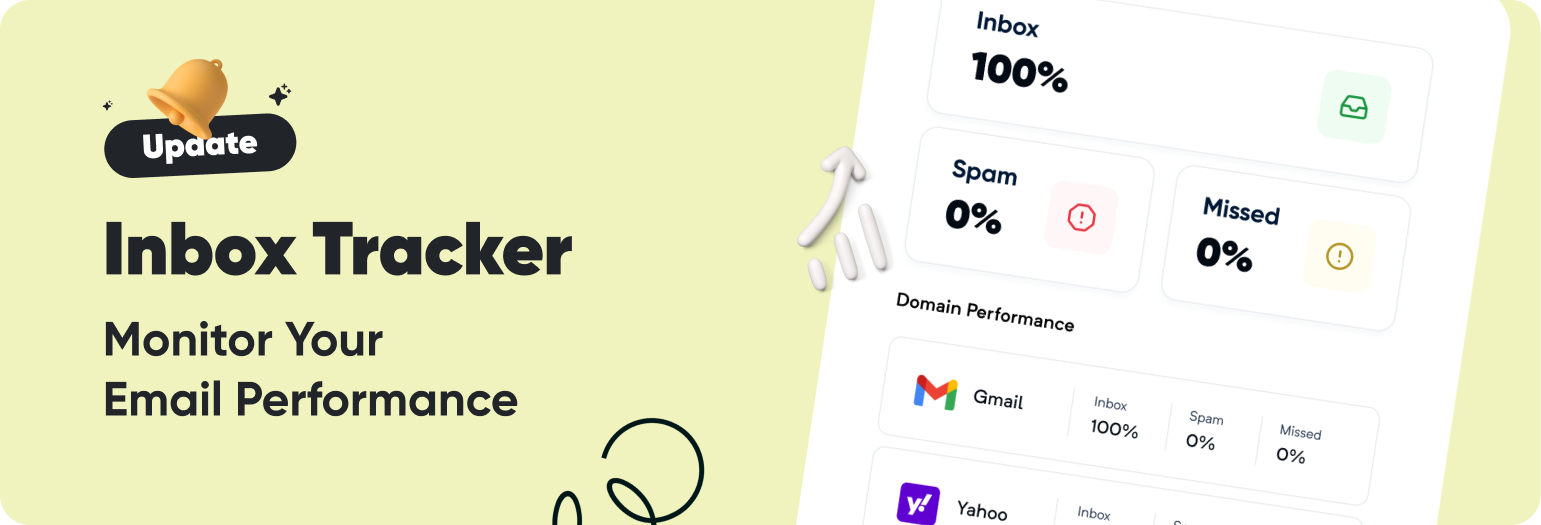
New Update: Inbox Tracker Now Available in the Email API Platform
📬 Inbox Tracker is now live in Mailercloud’s Email API! Get deeper visibility into where your emails land — Inbox, Spam, or Missed — across major providers like Gmail, Outlook, and Yahoo.
🔎 What’s New
Track inbox placement directly within the API Platform
Get provider-wise deliverability insights for every campaign
Access inbox tracking data via the Public API
Control tracking per email using SMTP headers
Configure Seedlist Injection Threshold to maintain deliverability health
✨ This Upgrade Helps You:
Detect deliverability issues early
Improve inbox placement across providers
Make data-backed decisions to optimize API email performance
⚡ Deliverability insights are now just a click away — right inside your API Platform.
New Update: More Conditions for Contact Property Triggers
🎉 We’ve expanded the Contact Property Value Change trigger in Advanced Automation! You now get deeper control with new condition types across Text, Number, and Date fields.
🔍 What’s New
More condition types for Text, Number, and Date properties
Greater than / Less than support for number-based fields
“Is not equal”, “Contains”, “Before/After” and more advanced logic
Better precision for data-driven & behavior-based automations
🚀 Build Smarter Journeys
Trigger flows when City, Tags, or Lifecycle Stage changes
Start VIP onboarding when Orders or Total Spend increases
Wait until users provide missing info before continuing
Create highly targeted flows with fine-tuned property checks
⚡ Smarter conditions = smarter automation. Enjoy the upgrade!
🆕 New Update: Detailed Reports on the Campaign Listing Page
📈 Accessing campaign performance data is now quicker and easier than ever. 🔍 With this update, you can view detailed reports directly from the Campaign Listing Page. 📊 At a glance, monitor key metrics and gain actionable insights without navigating away from your main dashboard.
✨ This enhancement helps you: ⏱️ Save time by reducing navigation steps. 📉 Analyze performance metrics directly and effortlessly. 🎯 Make informed decisions faster to improve campaign results.
🆕 New Update: Detailed Reports in the Automation Listing Page
📊 You can now access detailed reports directly within the Automation Listing Page, streamlining the tracking and analysis of your automation performance. ⚡ With this update, you can access key performance metrics of your automations without ever leaving the listing page — saving time and making it easy to get a comprehensive, at-a-glance overview. ✅
Managing your email campaigns is now smoother than ever with Mailercloud's new Campaign Deletion Option. Simplify your workspace by removing outdated or unwanted campaigns in just a few clicks. This feature gives you complete control over your campaigns while keeping your dashboard organized and clutter-free.
We’ve made it easier to manage your contacts and keep your audience clean and organized.
You can now delete contacts in bulk directly from the Audience > Contacts page using smart filters and selection options.
This update helps you:
✔️ Remove inactive, bounced, or unsubscribed contacts effortlessly ✔️ Maintain a clean and updated contact database ✔️ Save time by deleting hundreds or thousands of contacts in just a few clicks
You can now add the same contact (email address) to multiple lists — a highly requested feature from our users!
This Duplicate Contact update gives you the freedom to organize, segment, and target your contacts across multiple campaigns — without any restrictions.
🔍 What’s New:
✔️ Add one contact to multiple lists with ease ✔️ No need to re-import the same contact again ✔️ Segment smarter for more personalized campaigns
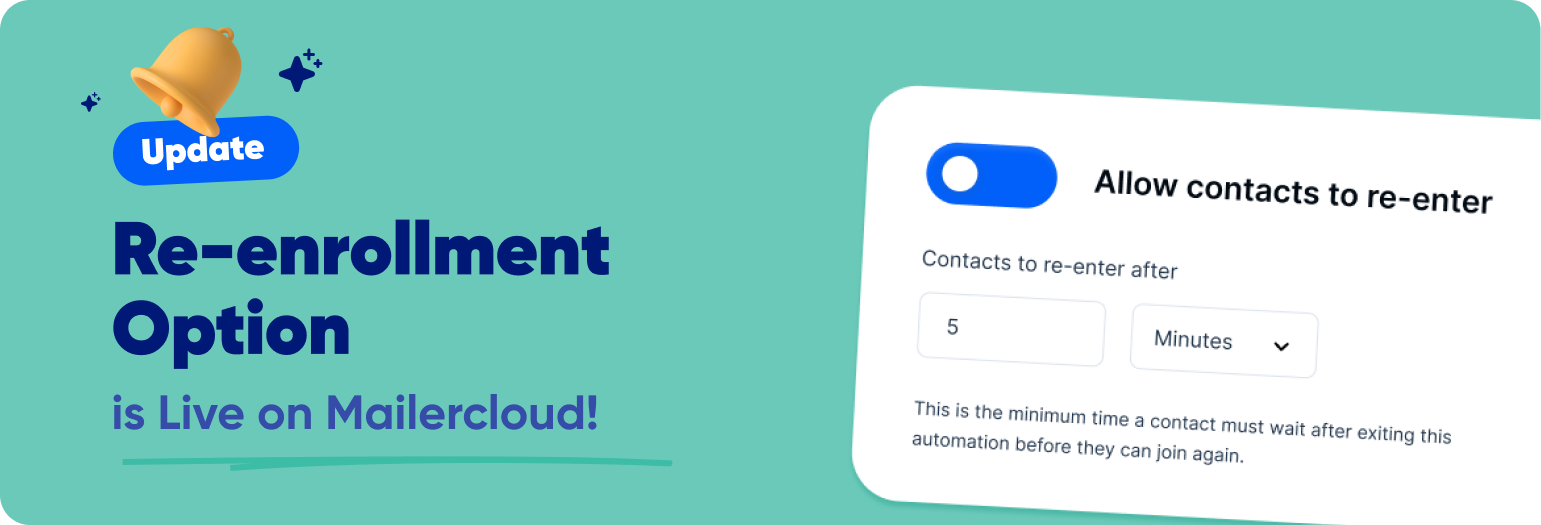
New Feature: Allow Contacts to Re-Enter Automation Flow
You asked—we listened! 👂 You can now enable contacts to re-enter an automation workflow after they’ve completed it.
Whether you're running recurring campaigns, drip reminders, or dynamic customer journeys, this new setting gives you the flexibility to reprocess contacts based on your defined conditions.
✨ What’s New: -----
✅ Toggle re-entry ON in automation settings ⏱️ Set custom delays before re-entry (in days, hours, or minutes) 🔁 Perfect for follow-ups, recurring sequences, and multi-entry workflows
Integrating Mailercloud with Zoho Flow is simple and can transform the way you manage your email marketing campaigns. Visit Mailercloud Integrations to learn more and start building your automated workflows today.
Introducing Mailercloud's Email API – Send Emails Programmatically!
We’re excited to introduce the Mailercloud Email API, allowing you to send emails seamlessly from your applications. Whether you're automating transactional emails, promotional campaigns, or system notifications, our API provides a flexible and efficient solution. for more
Boost Your Email Campaigns with Dynamic URL Integration!
Mailercloud's Drag & Drop Builder just got smarter! Now with Dynamic URL functionality, you can easily pull meta details and featured images directly into your emails. Streamline your content creation and make your emails more engaging with minimal effort. Try it today! Read more
✨ New Integration: Stripo + Mailercloud – Elevate Your Email Designs! 🚀
We are excited to announce our latest integration with Stripo, a powerful drag-and-drop email template builder. You can now seamlessly integrate Stripo with Mailercloud to create stunning, professional email templates with ease!
🎨 What is Stripo? Stripo offers an intuitive platform for designing beautiful, responsive email templates. With a variety of pre-designed templates, advanced customization options, and the ability to embed interactive elements, Stripo empowers you to craft high-performing email campaigns quickly.
🌟 Benefits of the Stripo Integration:
🖱️ Drag-and-Drop Editor: Build and customize your email templates without coding.
⚡ Interactive Elements: Add AMP-powered interactive content to engage your audience.
📱 Responsive Design: Ensure your emails look great on any device.
📑 Pre-Built Templates: Choose from a wide range of industry-specific templates to save time.
🔄 Direct Export to Mailercloud: Once your design is ready, export it directly to your MailerCloud account for hassle-free campaign setup.
Start leveraging the power of Stripo today and take your email marketing to the next level! 🚀
Mailercloud offers open and click tracking for transactional emails in campaign reports and on the dashboard. The platform provides detailed reports and real-time analytics to help users track the success of their emails. Mailercloud also offers advanced deliverability features like authentication and anti-spam measures.
🚀 New Feature Alert: Transactional Email Platform Now Live! 🚀
We’re excited to introduce our Transactional Email Platform, designed to ensure your critical emails—like order confirmations, password resets, and account notifications—reach inboxes with lightning speed. Start sending reliable transactional emails today! Learn more in our help doc.
Understanding Email Size and Its Impact on Deliverability
When creating and sending an email, its total size includes not only the text but also various other components that contribute to the overall weight of the email. Understanding these components helps optimize the email for better deliverability and user experience.





 Powered by FeedBear